v0 by Vercel is one of the most impressive AI tools out there right now. You describe a UI, and in seconds you have a polished React component or a full Next.js page, ready to drop into a project. For developers and designers, that is genuinely useful.
But here is the thing most people figure out after the fact: v0 is a UI generator, not a website builder. What it gives you is a beautiful visual layer with nothing behind it. No backend, no CMS, no hosting. Just code — and code alone is not a business website.
If you are reading this, you probably already know what that gap feels like. Let me explain exactly why so many people decide to convert v0 to WordPress, and what actually changes when they do.
What Is v0, and Why Do People Use It?
v0 is an AI-powered UI generation tool built by Vercel. You describe what you want — a landing page, a dashboard, a pricing section — and v0 generates clean React and Next.js code with a live preview. It is fast, the output quality is high, and it integrates naturally into the Vercel ecosystem.
People use it for:
- Prototyping landing pages and UI layouts quickly
- Generating a starting point for a client project
- Creating polished mockups without writing code from scratch
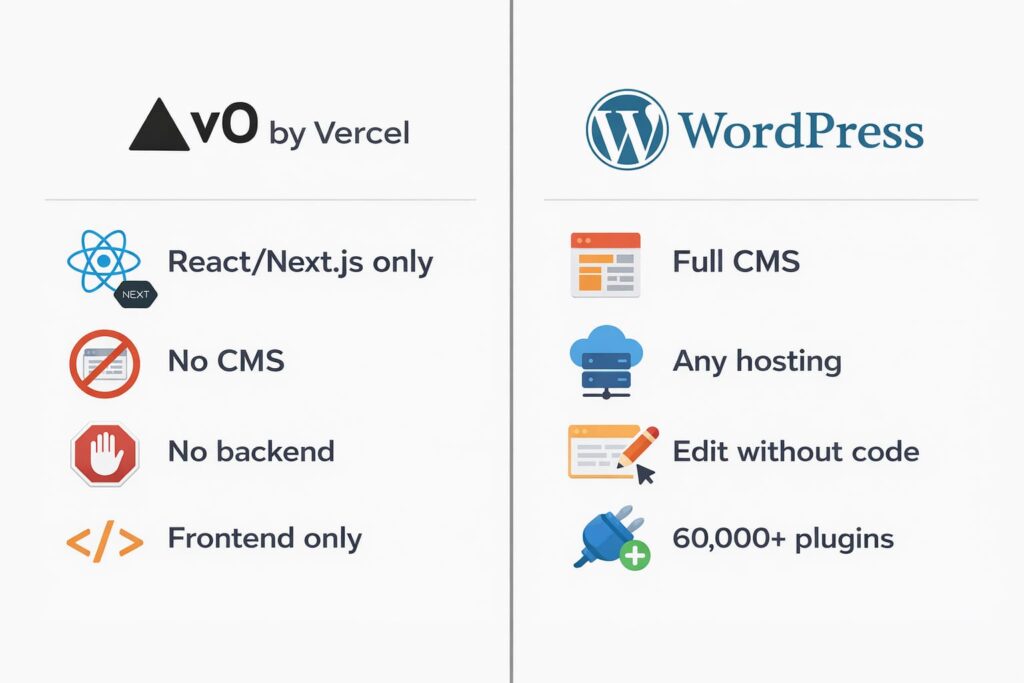
The limitation is clear from day one if you know what to look for: v0 is frontend only. There is no database, no authentication, no CMS, and no hosting included. You still need to deploy it, maintain it, and figure out how a non-technical person is ever going to update the content.
5 Reasons to Convert v0 to WordPress
1. There Is No CMS. At All.
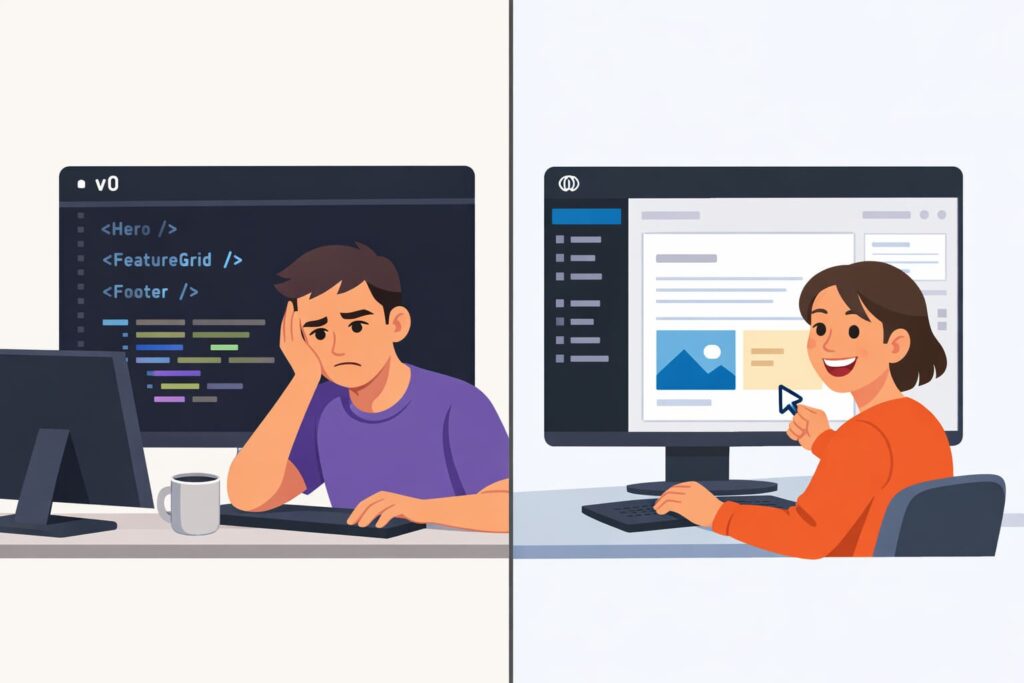
v0 generates components — beautiful, clean, well-structured React components. But components are not a content management system. There is no admin panel, no editor, no way for a business owner to log in and change a headline without touching code.
Every content update means going back to the code. For a developer maintaining their own project, fine. For a business owner who just wants to update their services page or change a phone number, it is a complete dead end.
WordPress gives you a proper CMS out of the box. Log in, find the page, click edit, make the change. No code, no developer, no waiting.
A website your client cannot update is not a finished project. It is a recurring support ticket.
2. v0 Is Frontend Only — Your Client Needs a Full Website
This is where things get painful for freelancers and agencies.
You built something great with v0. The design is clean, the client loves the mockup. Now they want it live, and they want to manage it. And you realize — there is no backend. No database, no user accounts, no content editor, nothing to hand over.
WordPress fills every gap that v0 leaves open. It handles the content layer, the database, the media library, and the admin interface. After every project I deliver, I run a short handoff session so the client can log in, edit pages, and manage the site themselves without ever calling me.
3. Hosting and Deployment Are Still Your Problem
v0 gives you code. What you do with that code is entirely up to you — find a host, set up deployment, manage the environment, handle updates. For a developer, that is routine. For a business owner, it is a barrier they did not expect.
WordPress is open source and runs on any hosting provider in the world. I set it up on your hosting from the start — properly configured, with backups, caching, and security in place. You get a site that runs itself, not a codebase you have to babysit.
4. SEO Is Harder With a JavaScript-Only Frontend
v0 outputs React and Next.js — and while Next.js handles some server-side rendering, getting solid SEO control from a v0 project still requires significant developer setup. For most business owners, that setup never happens.
Common SEO gaps on v0-based sites:
- No easy per-page meta title and description control
- Missing or inconsistent heading structure
- No sitemap, no schema markup, no SEO plugin
- Relying on client-side rendering that Google may not index consistently
WordPress with RankMath gives you complete SEO control on every single page — no code required. If you want your business to show up on Google, this is where it has to be built.
5. You Cannot Grow a Business on a UI Generator
v0 is excellent at what it does: generating polished frontend components fast. But a business website needs to do more than look good on day one.
What happens when you want to:
- Add a blog to drive organic traffic over time
- Launch a WooCommerce shop
- Set up a booking or contact system
- Integrate with a CRM or email marketing platform
v0 was not designed for any of this. WordPress has over 60,000 plugins and a developer ecosystem that has been building for 20 years. Whatever your business needs next, there is a solution — without rebuilding from scratch.
What You Actually Get After the Migration
When I convert a v0 project to WordPress, here is what changes for the business owner:
- Real content management — edit anything without touching code
- Complete website — frontend and backend, properly connected
- Full ownership — your hosting, your files, your domain
- SEO foundation — titles, meta descriptions, sitemap, schema
- Room to grow — add features without rebuilding from scratch
The design stays. The gaps go away.
When Should You Actually Make the Move?
Not everyone needs to migrate right now. Here is my honest take.
You should convert v0 to WordPress if:
- You want to hand the site off to a non-technical client
- You need content to be editable without code
- You want to rank on Google and need proper SEO control
- You are planning to add a blog, shop, or more complex features
- You do not want to maintain a custom deployment setup
You can wait if:
- The v0 project is a short-term prototype for one pitch
- You are still validating the idea and nothing is final yet
- A developer is actively maintaining the project anyway
How Long Does a v0 to WordPress Migration Take?
Depends on the scope.
- Simple landing page: 5 to 7 days
- Multi-page business website: 2 to 3 weeks
- Site with a shop or custom features: 3 to 4 weeks
I always review the v0 project before giving you a timeline. No guessing, no surprises. You get an exact scope and deadline before any work starts.
Ready to Make the Switch?
If this article felt like it was describing your exact situation, that is not a coincidence. I have helped a lot of business owners and developers go from “polished prototype” to “proper website their client can actually use.”
The process is simple. You tell me about your project, we have a 30-minute call, and I give you a clear plan with a timeline and pricing.
Learn more about my v0 to WordPress migration service or get in touch directly and we will figure out the best solution.
Also using a different AI tool? Check out my Bolt.new to WordPress, Lovable to WordPress, and Base44 to WordPress migration services too.
FAQ
Is WordPress better than v0 for business websites?
Yes, for anything beyond a prototype. v0 generates great-looking frontend code, but it has no CMS, no backend, and no hosting. WordPress gives you the full package — content management, SEO tools, plugin ecosystem, and a platform built to run a business website long term.
How much does it cost to convert v0 to WordPress?
Depends on the size and complexity. Simple landing pages start from $500. Multi-page sites start from $1,500. You get a detailed quote after a free 30-minute call.
Will my design change after migration?
No, the goal is to keep your existing design. In some cases we improve it during the rebuild, but only if you want that. Content and structure stay intact.
Can I edit my WordPress site myself after migration?
Yes, that is one of the main reasons to migrate. All sites are built with Elementor or Bricks Builder so you can make content changes without touching any code.
