Every website project, from a simple brochure site to a complex e-commerce store, follows a proven path. This journey moves through distinct stages: planning, design, development, testing, launch, and finally, ongoing maintenance. Understanding this process is the surest way I guide my clients from an idea to a finished website, avoiding the usual headaches and budget surprises.
Stage 1: Your Website Blueprint – Why Planning is Everything
You wouldn't build a house without a detailed blueprint, and your website is no different. The discovery and planning stage is the critical foundation for your online presence. This is where we work together to ensure your project succeeds—long before a single line of code is written.
This first step is all about getting crystal clear on your purpose. For your business, that means we need to nail down the answers to a few core questions:
- What, exactly, do you need this website to do for your business?
- Who is your ideal customer, and what are they looking for?
- What's the one action a visitor must take for me to count it as a win for you (a lead, a sale, a signup)?
- How will we track whether the site is actually working for you?
Getting these answers down on paper creates the roadmap for your entire project. Every decision we make later—from the color palette to the e-commerce platform—will be guided by this initial plan, making sure the final site is a perfect fit for your business goals.
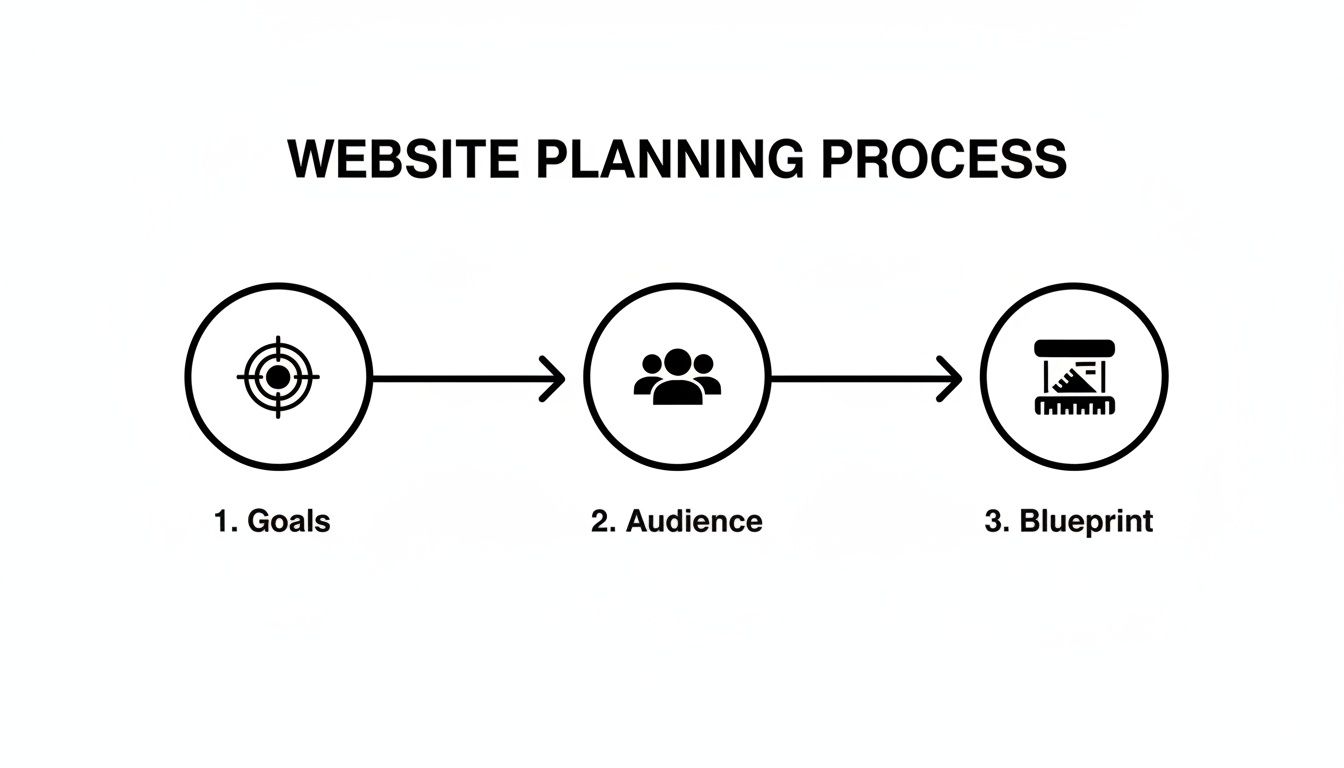
This diagram breaks down how we move from big-picture goals to a concrete project plan, leaving nothing to guesswork.
To help you get started, I've put together a simple checklist that covers the essentials.
Essential Discovery and Planning Checklist
Use this table to make sure you've covered all your bases before diving into design or development. Answering these questions now will save you a ton of time and money down the road.
| Area of Focus | Key Questions to Answer | Actionable Task |
|---|---|---|
| Business Goals | What is your #1 objective? (e.g., generate leads, sell products) | Define 1-2 primary Key Performance Indicators (KPIs) to track success. |
| Target Audience | Who are you trying to reach? What are their biggest problems? | Create a simple "customer persona" outlining their demographics and pain points. |
| Core Functionality | What must the site do? (e.g., contact form, blog, online store) | List all "must-have" features for launch. Separate them from "nice-to-have" features. |
| Content Strategy | What information will you provide? Who will create it? | Outline the main pages needed (Home, About, Services, Contact) and who is responsible for writing the text. |
| Technical Needs | Do you have a domain and hosting? Which platform is best for you? | Secure your domain name. If unsure about the platform, we can discuss the best fit for you. |
Working through this checklist ensures we’re on the same page from day one.
The High Cost of Skipping the Blueprint
I’ve seen it happen too many times: a business gets excited and jumps straight into building a site without a solid plan. It almost always ends in frustration and wasted money.
The stats back this up. Poor planning is a key reason why 43% of new sites fail Google’s Core Web Vitals right out of the gate. Worse, a lack of careful discovery is why a staggering 76% of firms run into compliance trouble under European Accessibility Act (EAA) enforcement. This isn’t just about ticking boxes; it’s about making smart, data-driven decisions that prevent major problems later on.
At Reshetar.Dev, the robust plan we build together is your best defense against scope creep and budget blowouts. It sets clear expectations and keeps your project running smoothly from start to finish.
Defining Your Website’s Core Mission
Ultimately, a great website solves a problem. Your mission might be to generate qualified leads for your service business, sell products directly with a WooCommerce store, or simply position your brand as an expert in your field. In the planning stage, we make that mission tangible.
My process involves working directly with you to map out the ideal journey for your customer. We figure out their pain points and then design a clear path on your site that guides them straight to your solution. This approach turns a simple online brochure into a machine built for conversions.
Not sure which platform is the right foundation for your mission? Take our quick quiz to find the perfect website platform for your business.
Designing a User-Focused Experience
A great website design is about more than just looking good. It’s about creating a smooth, intuitive experience that guides your customers exactly where you want them to go. This is the design stage, where we turn our shared blueprint into a visual reality.
This step boils down to two key parts: User Experience (UX) and User Interface (UI).
Think of it like building a house. UX is the architectural plan. It decides the layout—how you get from the living room to the kitchen without walking through a bedroom. Good UX ensures your website visitors can find information, contact you, or buy a product without getting lost or frustrated.
UI is the interior design. It’s the paint color, the light fixtures, and the furniture that make the house feel like a home. For your website, UI covers the fonts, colors, button styles, and imagery that reflect your brand and make the site engaging to use.
From Wireframes to High-Fidelity Mockups
The design process always starts with wireframes. These are simple, black-and-white layouts—the skeleton of each page. We deliberately leave out colors and branding to focus purely on structure: where the logo sits, how the navigation works, and where the most important call-to-action buttons will go.
Once we agree on the wireframe, we move to the mockup. This is a static, high-fidelity image that shows you exactly what your finished website will look like. It adds all the UI elements—your brand colors, typography, and images—onto the wireframe’s structure.
At Reshetar.Dev, I work collaboratively with you on the mockups until they perfectly capture your brand’s vision. I then use tools like WordPress with Elementor to build a pixel-perfect, functional website that turns that visual design into a powerful business tool.
The Non-Negotiable Mobile-First Approach
Today, designing for mobile devices first isn’t a trend; it’s a must. With over half of all web traffic coming from phones, a clumsy mobile experience will send customers straight to your competition. A bad mobile site also signals to Google that your site isn’t user-friendly, which can kill your search rankings.
That’s why I follow a strict mobile-first design approach. This means we design for the smallest screen first (your smartphone) and then scale the design up for tablets and desktops. This ensures a seamless experience for every single visitor, no matter what device they’re using.
Here’s why this is so important for your business:
- User Behavior: Most people will find your business on their phone first. That first impression has to be great.
- SEO Impact: Google’s ranking system primarily looks at the mobile version of your website to decide where you show up in search results.
- Conversion Rates: When your site is easy to use on a phone, customers are far more likely to make a purchase or fill out a contact form.
By building for mobile from the ground up, I make sure your website is ready for the modern customer and positioned for success right from launch day.
Bringing Your Vision to Life with Development
Alright, the design is approved. Now for the fun part: turning those beautiful, static images into a real, working website. This is the development stage, where I take our shared design and build your actual site.
I’m essentially taking the visual plan and writing the code that makes it all click, scroll, and function. This process breaks down into two key areas: the front-end (what your customers see) and the back-end (what makes it all work).
Building the Front-End Your Visitors See
The front-end is everything your visitors interact with directly in their browser. Think of it as the customer-facing part of your business—the storefront, the signage, and the sales floor.
This includes:
- The page layouts and how they adapt to phones, tablets, and desktops.
- All the interactive elements: buttons, contact forms, and navigation menus.
- The text, images, and animations that create the user experience.
Getting this right is crucial for making a great first impression. I build most client sites using Elementor, a powerful and flexible page builder. This allows me to create a pixel-perfect front-end that matches the design exactly, while still making it easy for you to update content on your own later.
Powering Everything with the Back-End
If the front-end is the storefront, the back-end is the warehouse, the inventory system, and the manager’s office. It’s all the behind-the-scenes infrastructure that your visitors never see but that makes the entire website run smoothly.
The back-end has three core components:
- The Server: The computer that stores your website’s files and delivers them to visitors.
- The Application: The software that manages your content, processes data, and handles user requests.
- The Database: The organized storage for everything from your blog posts and product info to customer accounts.
For most small and medium-sized businesses, WordPress is the perfect back-end application. It’s an incredibly robust Content Management System (CMS) that gives you full control over your site’s content without needing to write a single line of code.
Clean, efficient code is the foundation of a successful website. It directly impacts your site’s loading speed, search engine rankings, and how easy it will be to add new features in the future. A well-built back-end ensures stability and scalability as your business grows.
The Reshetar.Dev Development Workflow
My development process is methodical and built for quality. I always start by setting up a private development server. This is a hidden clone of your website where I can build and test everything without disrupting your current site or revealing the project before it’s ready.
Next, I get to work building out the front-end, translating the design mockups into fully functional page templates in WordPress. If your project is an e-commerce site, this is when I’ll integrate and configure WooCommerce. I build out the product pages, set up payment gateways, and fine-tune the entire checkout process to be as smooth and secure as possible.
Every button, link, and form is coded and tested to work perfectly. This disciplined approach is a critical part of the stages of website development because it prevents technical issues down the line. It ensures that when we launch, you have a powerful, reliable tool for your business, not just a pretty design.
Ensuring Quality Through Rigorous Testing
Just because the last line of code is written doesn’t mean the website is finished. The next step is what separates a professional, reliable website from a frustrating, broken one. Think of it as the final pre-flight check before your site goes live for your customers.
This is the quality assurance (QA) phase, and it’s non-negotiable. I go on a mission to hunt down and squash every bug, glitch, or weird formatting issue before a single customer sees it. It’s all about making sure the experience is flawless for every single person who visits your new site.
The Core Components of Website Testing
My testing plan isn’t just about clicking a few links. It’s a systematic sweep to ensure everything works exactly as it should, no matter how a visitor accesses your site. I leave no stone unturned.
Here’s what my standard checklist looks like:
- Functionality Testing: I click every link, submit every form, and test every interactive element. For a WooCommerce store, this means running test orders from start to finish to ensure the checkout is seamless and secure.
- Cross-Browser Compatibility: Your website needs to look and work perfectly on Chrome, Safari, Firefox, and Edge. I check them all so a visitor never gets a broken experience just because they prefer a different browser.
- Responsive Testing: I load the site on everything from small iPhones to massive desktop monitors. This confirms your layout adapts perfectly and stays user-friendly on any screen.
Performance: The Ultimate User Experience Test
Beyond the basics, I obsess over speed. A slow website is a business killer. The numbers don’t lie: 53% of mobile users will leave a site if it takes more than 3 seconds to load. A tiny one-second delay can cause a 7% drop in conversions.
At Reshetar.Dev, I don’t just build websites—I build fast websites. I run the site through detailed performance tests to optimize load times, shrink images, and clean up code. The goal is to meet and exceed Google’s Core Web Vitals, giving your visitors the best possible experience.
This focus on speed doesn’t just keep people from bouncing; it also gives you a real advantage in search engine rankings. It’s a core part of building a site that not only looks great but performs under pressure. This focus also extends to security. To learn more, check out my guide on essential security practices for your WordPress site.
Ultimately, the testing phase is your insurance policy. It protects your investment and ensures that when you launch, you’re showing the world a polished, professional, and high-performing tool built for growth.
Alright, the final checks are done, the last bugs have been squashed, and your website is officially ready to go live. This isn’t just about flipping a switch; launching a site is a carefully planned sequence that moves it from my private development server to the public internet.
Think of it like the grand opening of a physical store. You’d make sure the lights are on, the registers work, and you have a way to see how many people come inside. Your website launch needs that same level of prep to make sure it starts delivering results from the moment it’s live.
The Technical Launch Checklist
First up is the technical deployment. This is where I move all the website files and the database from my development environment over to your live hosting account. After that, I connect your domain name so that when people type in your URL, they see the new site.
My pre-launch checklist for a WordPress site is designed to make this transition seamless:
- Final Database & File Migration: I move the entire website—code, content, and all—to its new home on the live server.
- Domain Connection (DNS Update): I point your domain name to the new site’s location. This can sometimes take a few hours to update globally.
- SSL Certificate Activation: This is crucial. I activate the SSL to enable HTTPS, securing your site and showing visitors the little padlock icon that builds trust.
- URL & Link Check: I run a final scan to convert all internal links from the temporary development URL to your live domain, killing any potential for broken “404 Not Found” errors.
Following these steps minimizes downtime and ensures a smooth switch for you and your visitors.
Setting Up for Measurable Success
A website without analytics is just a pretty brochure. To make it a real business tool, you need data to see what’s actually working. That’s why setting up tracking tools is a non-negotiable part of my launch process.
As soon as the site is live, I get these two essentials installed:
- Google Analytics: This is the dashboard for your website’s performance. It shows you how many people are visiting, where they came from, what pages they look at, and how long they stick around. This is the data you need to make smart decisions later on.
- Google Search Console: This tool gives you a direct look at how Google sees your site. I use it to monitor your search rankings, find any technical SEO problems, and submit your new sitemap so Google can index all your pages quickly.
With these in place, you start collecting actionable insights from day one.
At Reshetar.Dev, launching a website isn’t the end of the project—it’s the beginning of our partnership. I manage the entire technical go-live and get your analytics running, so you can focus on your business while I handle the tech.
Finally, I give your site a head start with the search engines by implementing basic on-page SEO. This means writing unique title tags and meta descriptions for your core pages to tell Google exactly what your content is about. I also provide you with training so you feel confident managing and updating your new site. This whole process frames your website not just as a one-time cost, but as the starting line for hitting your business goals.
Launch Is Just the Beginning: Post-Launch Care and Maintenance
Hitting “launch” on your new website isn’t the finish line. It’s the starting pistol. Think of it like buying a new car; it runs perfectly off the lot, but you wouldn’t drive it for years without changing the oil. Your website is the same. It’s not a one-and-done project—it’s a living part of your business that needs regular tune-ups to stay fast, secure, and effective.
So many business owners overlook this phase, but it’s where you protect your investment. Without consistent care, even a perfectly built website will eventually slow down, become a target for hackers, or break. Proactive maintenance is how I save my clients from a whole lot of reactive emergencies down the road.
The Essentials: Core Website Maintenance Tasks
Keeping a website healthy isn’t rocket science, but it is non-negotiable. For a WordPress site, the checklist is straightforward. Ignoring these simple tasks is what leads to those nightmare scenarios: a hacked site, lost data, or the dreaded white screen of death.
A solid maintenance plan always covers these four bases:
- Regular Backups: I set up full-site backups—files and database. If anything ever goes sideways, we can roll your site back to a perfect working copy in minutes, not days.
- Software Updates: WordPress core, along with your plugins and themes, get updated all the time. These updates aren’t just for new features; they contain critical security patches. Keeping everything updated is your #1 defense.
- Security Scans: I actively hunt for malware and anything that looks suspicious. Catching a threat early is the key to preventing real damage to your site and your reputation.
- Performance Monitoring: I keep a close eye on your site’s speed. Over time, things can get bloated. I make sure it stays zippy. You can see my full process in this guide on how to speed up a WordPress site.
These four tasks are the bedrock of a healthy site.
A website without a maintenance plan is an accident waiting to happen. Sooner or later, something will break or get hacked. Think of maintenance not as a cost, but as insurance for your most valuable digital asset.
Beyond Keeping the Lights On: Smart, Data-Driven Growth
Good maintenance is about more than just preventing disasters. It’s about making your website better over time. Once your site is live, it starts talking to you through data in Google Analytics. This is where we can stop guessing and start making smart decisions together.
By watching how real users interact with your pages, we can spot opportunities. Maybe a key service page has a high bounce rate, or nobody is clicking your main call-to-action button. This data gives us a roadmap for improvement.
My process for continuous improvement looks like this:
- Analyze User Behavior: We dig into the analytics to see what’s working and what’s not.
- Form a Hypothesis: Based on the data, I might suggest a change—like rewriting a headline or changing a button color—to fix a problem.
- Implement and Test: We make the change and then measure the results. Did it work?
- Repeat: We keep refining your site based on what we learn from real-world user data.
This is exactly why I offer maintenance retainers at Reshetar.Dev. It’s more than just technical support; it’s a partnership. I handle all the security and updates so you have zero stress, and we use real data to make sure your website keeps getting better and delivering results long after launch day.
Your Questions, Answered
Over the years, I’ve heard the same questions pop up from business owners just starting their website journey. Let’s tackle the most common ones head-on so you know exactly what to expect.
How Long Does a Website Project Actually Take?
This is the classic “how long is a piece of string?” question, but I can give you some solid benchmarks. A standard business website, from our first chat to launch day, typically takes between 4 to 8 weeks.
If you’re looking at a more complex e-commerce store with custom features and payment gateways, you should realistically plan for 3 months or more. My own process at Reshetar.Dev is built for efficiency. By mapping everything out clearly and keeping communication tight, I can often deliver a high-quality, conversion-ready website in as little as 14 days.
What’s the Single Most Important Stage for a Small Business Website?
I get this one a lot. While every stage matters, if I had to pick one, it’s the initial Discovery and Planning phase. Hands down. This is where we lay the foundation for everything that follows. A sloppy plan leads to a shaky website that doesn’t deliver.
Think of it this way: spending the time upfront to define your strategy, audience, and must-have features is the best way to avoid expensive changes and headaches later. It’s what separates a real business tool from a simple digital brochure.
How Much Should a Small Business Budget for a Website?
Website costs can swing wildly depending on what you need. The level of custom design, the number of features, and the overall complexity all play a big role. For most small to medium-sized businesses, the investment can range from a few thousand to tens of thousands of dollars.
I believe in transparent pricing that makes professional web development accessible. To give you a ballpark, my projects typically start with landing pages from $500, full business websites from $1,500, and complete e-commerce stores from $2,500.
Is Website Maintenance Really Necessary After Launch?
Yes, 100%. A new website is like a new car—it needs regular tune-ups to keep running smoothly and securely. Ongoing maintenance isn’t an upsell; it’s essential. We’re talking about software updates, security scans, and regular data backups.
Ignoring these tasks leaves your site wide open to hackers, can cause it to slow to a crawl, and leads to broken features that drive away customers. I offer post-launch support and optional maintenance plans to protect your investment and make sure it keeps working hard for you.
Ready to build a website that actually grows your business? At Reshetar.Dev, I specialize in creating fast, conversion-focused WordPress websites that turn visitors into customers. Get in touch today and let’s talk about your project.
